

.png?width=50&height=50&name=check%20(1).png)
One Standard. Every Schedule.
Replace subjective gut checks with a consistent, repeatable quality benchmark applied automatically across your portfolio of projects.

Not Just Issues — Fixes.
ALICE provides a prioritized report with recommended fixes, that tells you exactly where to focus for maximum score improvement.

Your First Layer of Derisking
Catch structural problems before they become delays, disputes, or missed milestones in the field.
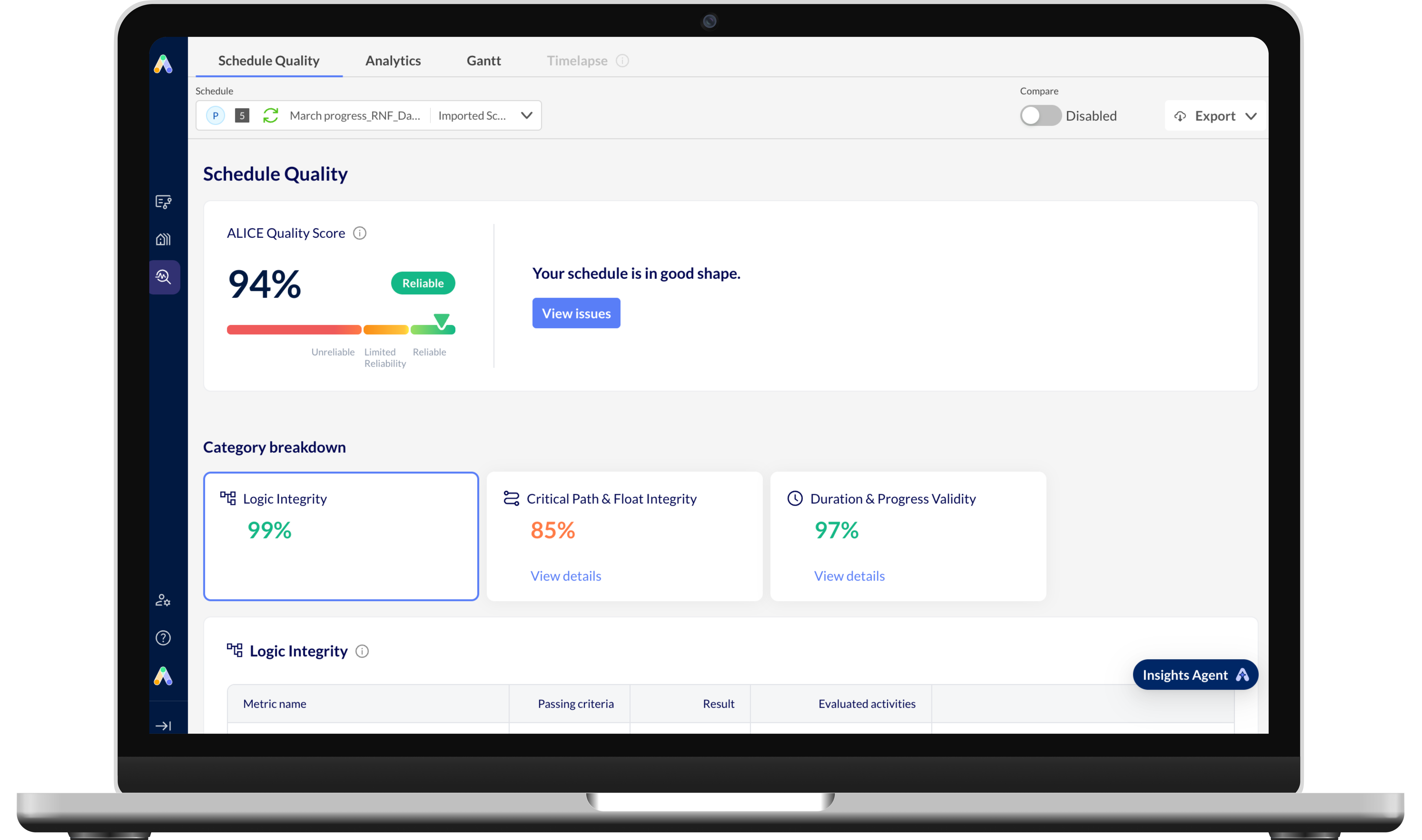
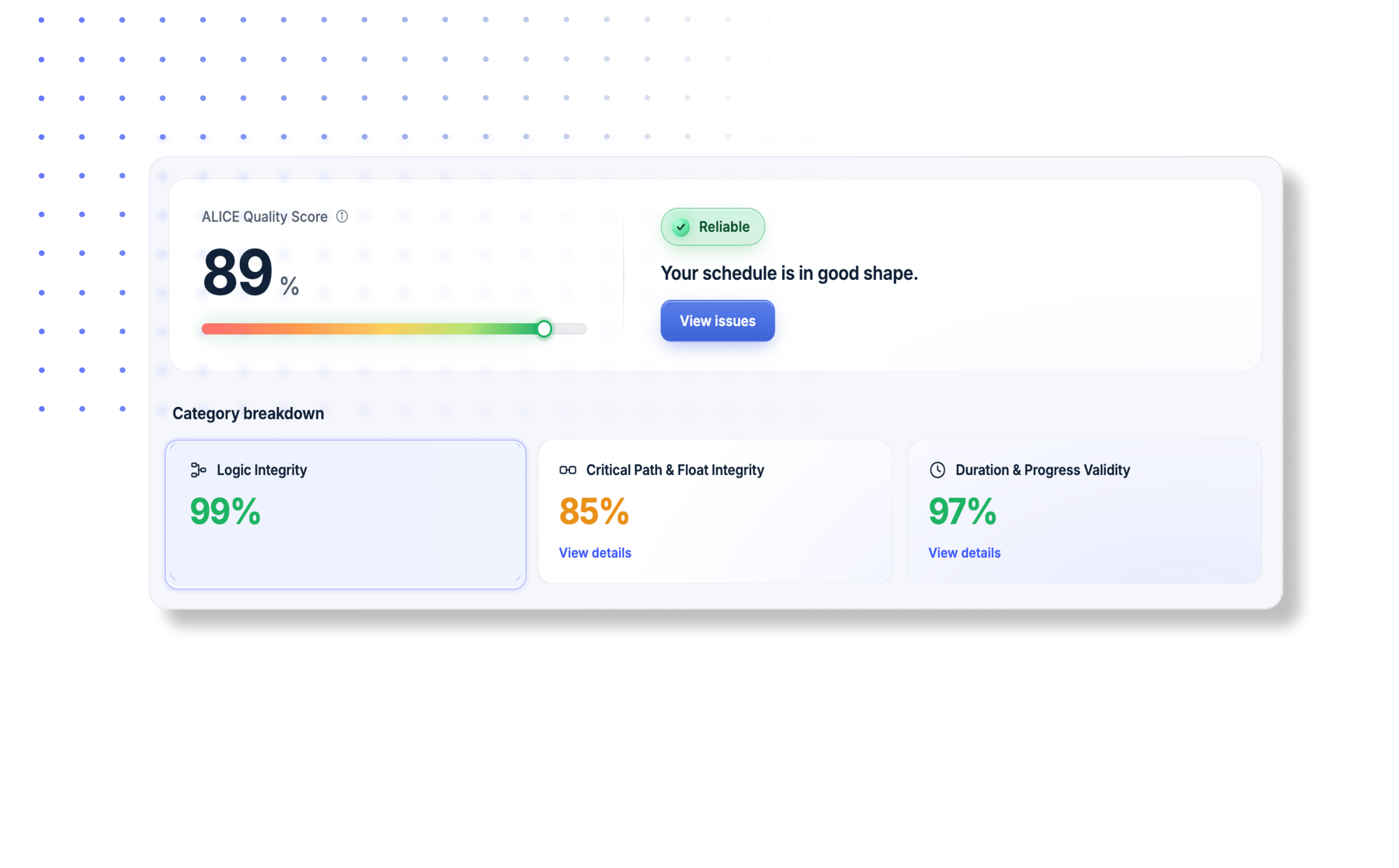
ALICE’s Schedule Quality Score, rooted in DCMA, is a weighted score from 0–100, calculated automatically — no setup required. It is composed of:
- Logic Integrity (50%) — Are activities properly connected? Is the CPM foundation sound?
- Critical Path & Float Integrity (35%) — Can you trust your dates, your float, and your critical path?
- Duration & Progress Validity (15%) — Are durations realistic and progress data consistent?
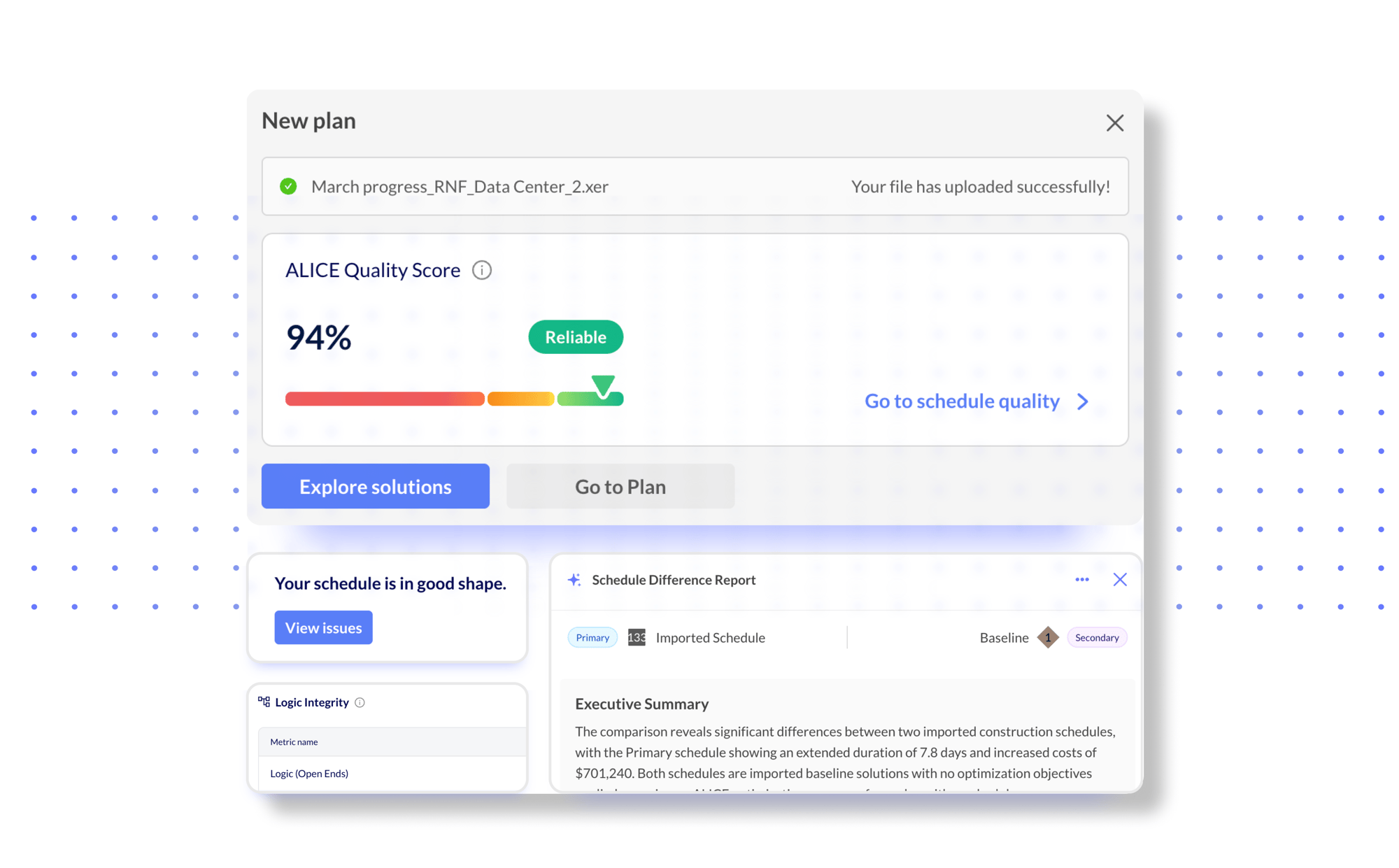
Schedule Quality runs automatically in the background — no configuration needed. With every schedule you bring into ALICE or generated by ALICE, you receive a score, an explanation of key issues, and a plan to fix them. Here's how it works:
- Instant scoring at import: Your quality score appears the moment your schedule lands in ALICE, before any work begins.
- Scores every ALICE-generated schedule: Any plan ALICE produces carries a quality score, so you always know what you're working with.
- Side-by-side schedule comparison: Run a quality comparison between two schedules, for example your imported schedule versus an optimized version, and validate changes.
- AI-generated difference report: When comparing schedules, an AI summary surfaces the most meaningful quality differences.
- Insights Agent: For deeper analysis, ask the built-in AI agent questions or to surface patterns to get the information you need quickly.

Quality Score & Benchmarks
See where your schedule stands against quality measurement thresholds at a glance.

Prioritized Fix Export

AI Quality Narrative
Get a plain-language summary of your schedule's health that’s easily understood by anyone on the team — not just scheduling experts.

Category Breakdown
Understand logic, float, and duration health individually, with thresholds your stakeholders can actually discuss.

Export-Ready Reporting
Share data in the format that best fits your workflow — .xml, .xer, .PDF, CSV, or XLSX, including comparison reports.

Score Comparison
Compare two schedules side by side to validate changes or catch any regressions before they impact delivery.
Optimize every construction phase with ALICE
ALICE gives you new planning and construction super powers.


Targeted Optimization
Identify where your schedule can be accelerated & by how much.

Analytics and Reporting
Track and analyze information that matters most to you.

Schedule Quality Score
Check your schedule score & know exactly what to fix & why.

Schedule Insights Agent
"Chat" with your schedule to get insights & recommendations.

Construction Sequencing
Solve complex constraints & intelligently sequence activities.

Construction Simulation
Explore numerous ways to build your project.

Optimization Presets
Fine-tune an ALICE simulation based on your project goals.

Risk Management
De-risk your project by modeling constraints and scenarios with AI.