ALICE FieldPlan_white_unstacked

The intelligent visual workspace that transforms construction drawings to executable field plans in minutes.

ALICE FieldPlan

WHAT IS FIELDPLAN AND WHO IS IT FOR?

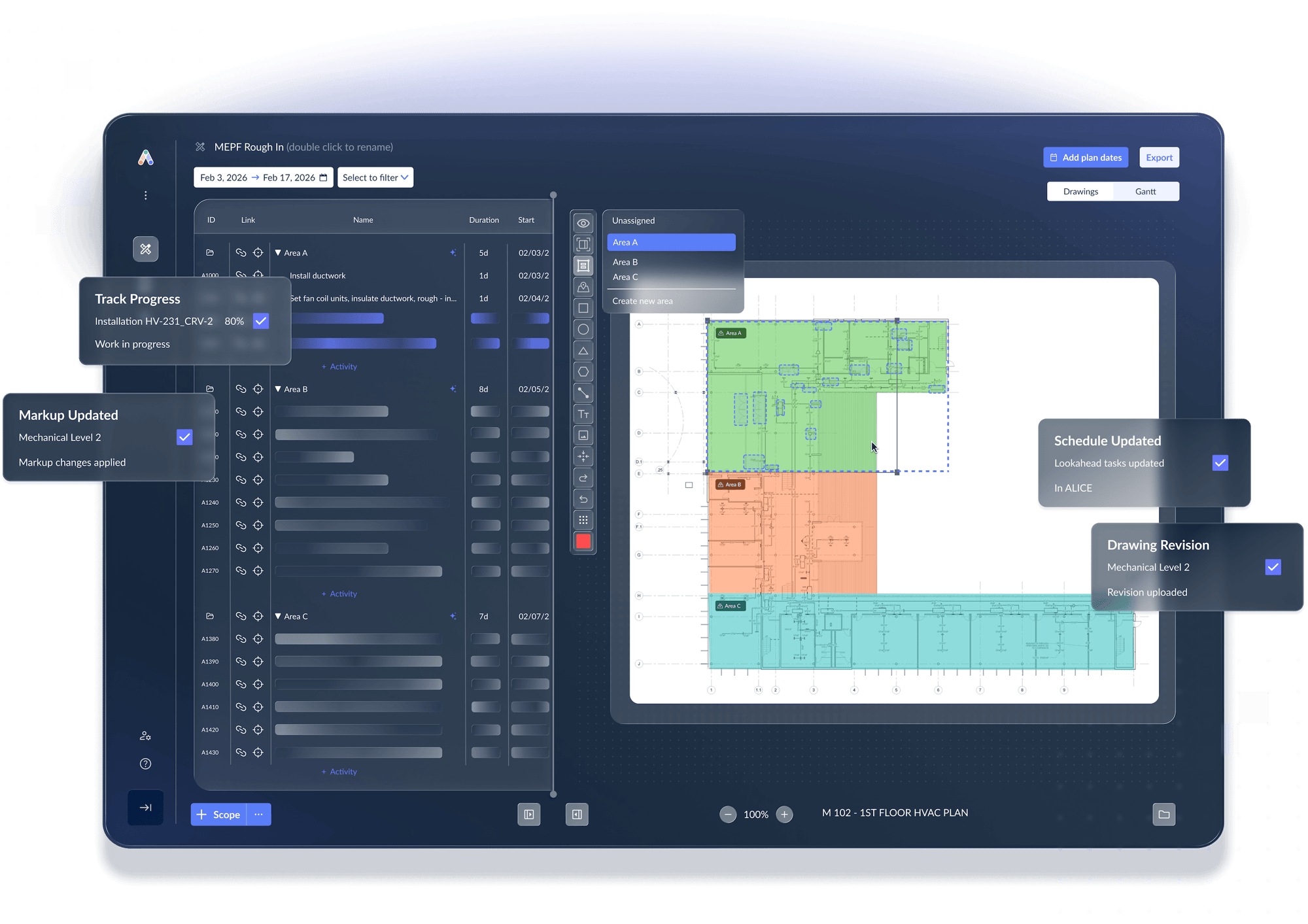
ALICE FieldPlan is purpose-built for field teams, from superintendents and field engineers to project managers, who are tired of juggling printed markups, sticky notes, spreadsheet lookaheads, and Gantt charts. FieldPlan delivers a single, connected visual plan, created directly from your drawings — with activity-level lookaheads rolling up to full project view.

ALICE FieldPlan | How it works


01

Start from your
drawing

Upload your project drawings (PDF or image) or import your Oracle Primavera P6 project schedule (XER, MPP, XML).

02

ALICE reads your
drawing

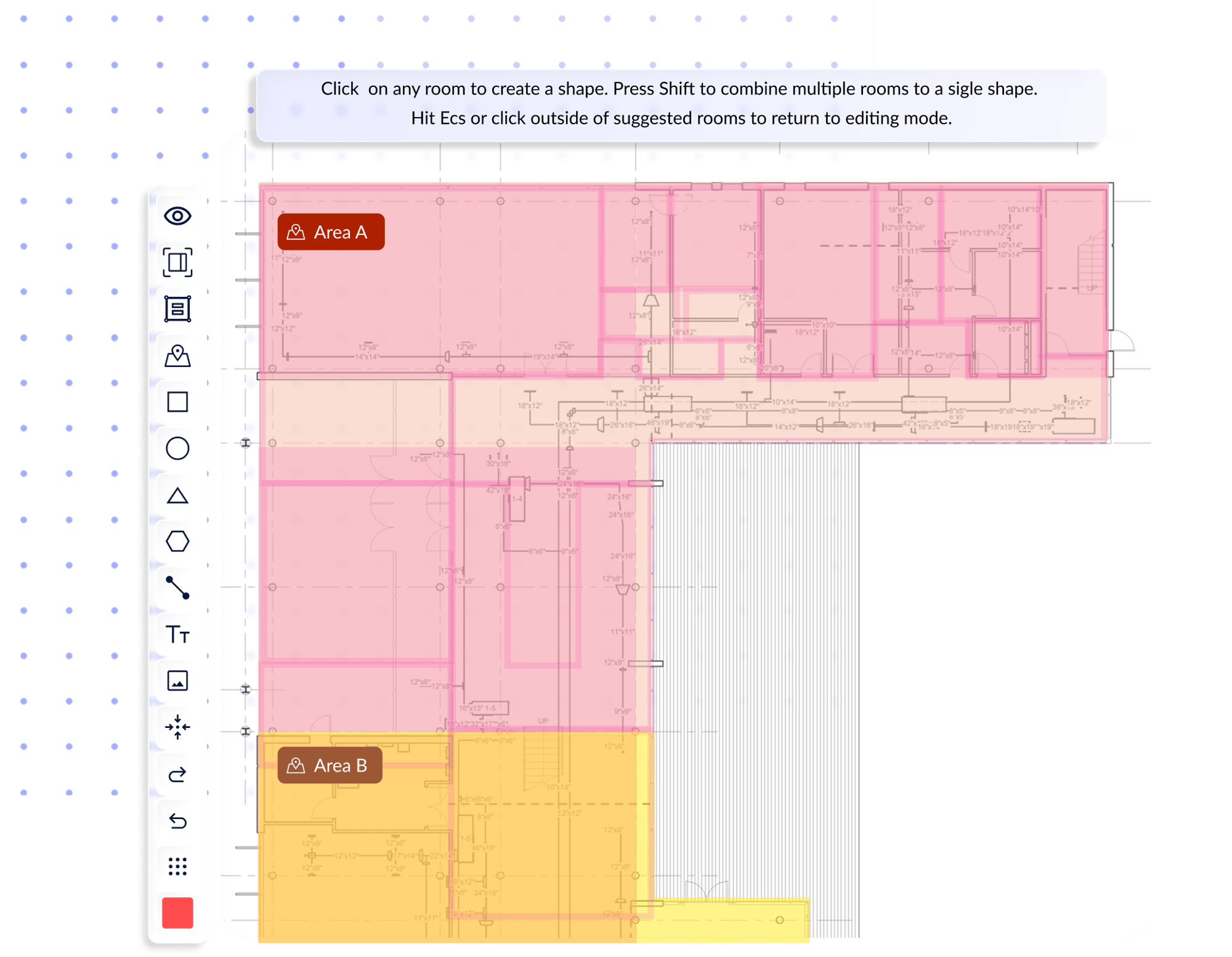
ALICE runs computer vision-based area recognition on your drawings, identifying work areas and an inventory of elements, then presents them for your review — giving you a starting structure instead of drawing every area by hand.

03

Build the visual
plan

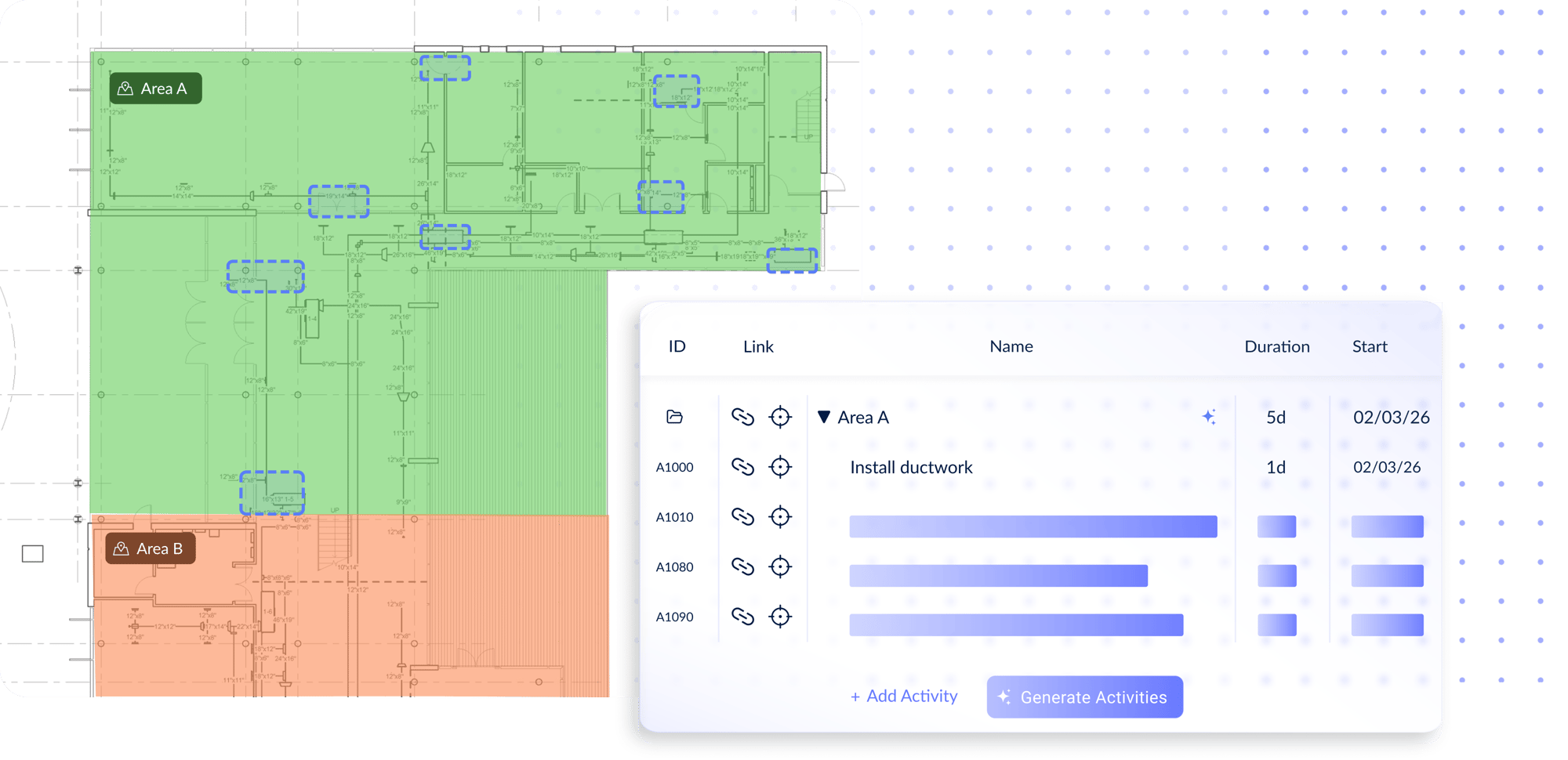
Select the areas and items you want to focus on, and FieldPlan helps builds a lookahead with activities, durations, dates, trades, and logic. Review your lookahead in the digital canvas, or switch to a Gantt view to see how work will progress. 

04

Share, update,
execute

Filter your plan by area, status, or crew, and export it to PDF or Excel to share with the field and project stakeholders. As schedules shift or site conditions change, update your plan directly in ALICE instead of starting over.

Explore the future of construction AI planning

 See how ALICE FieldPlan helps you go from master schedule and construction project drawings to field-ready execution. 

 
CONSTRUCTION FIELD PLANNING SOFTWARE
 
Apply computer vision to drawings


FieldPlan helps you build better, more accurate lookaheads in minutes, and makes updating and sharing them simple. ALICE does the heavy lifting so you can focus on the jobsite.
Learn more →

FP Section 1
Interactive Digital Whiteboard

Interactive
Digital Whiteboard

Create, manage, and update your lookahead in a single visual space.

Object Overlay

Object
Overlay

Add notes, planning boundaries, and additional context to your plan.

Define Areas on Drawing

Define Areas on
Drawing

Draw shapes and define areas directly on project drawings.

Auto-Generate Inventory

Auto-Generate
Inventory

ALICE reads your drawing and generates an inventory of elements in the selected area.

Connect Areas to Lookahead

Connect Areas
to Lookahead

ALICE populates activities, durations, dates, trades, and logic to your lookahead.

Smart Canvas

Smart
Canvas

Easily refine and finalize your lookahead, and quickly update as things change.

 
CONSTRUCTION SOFTWARE FOR FIELD TEAMS
 
A single space for field planning and visualization


FieldPlan offers a single digital canvas to create, manage, and update drawings and lookaheads, improving communication between field teams, trade contractors, and project executives. 
Learn more →

Section 2 FP
Easily Modify Field Plans

Easily Modify
Field Plans

Edit and add activities, modify sequencing, and adjust dates as jobsite changes happen.

Capture Field Progress

Capture
Field Progress

Track production rates, flow, and handoffs while maintaining milestone alignment with the master schedule.

Multiple Plan Visualizations

Multiple Plan
Visualizations

Switch from the Canvas view to a Gantt chart to better understand how work flows in your plan.

Share and Export

Share and
Export

Export as a PDF or Excel and share your plan with trade contractors and project stakeholders.

Use in Weekly Meetings

Use in Weekly
Meetings

Replace reviewing spreadsheets and pinning post-it notes with a single digital plan.

Unified Communication

Unified
Communication

Use a connected space for field planning to boost communication between foreman, supers, and project executives.
1781528618638

Conceptual Case Study

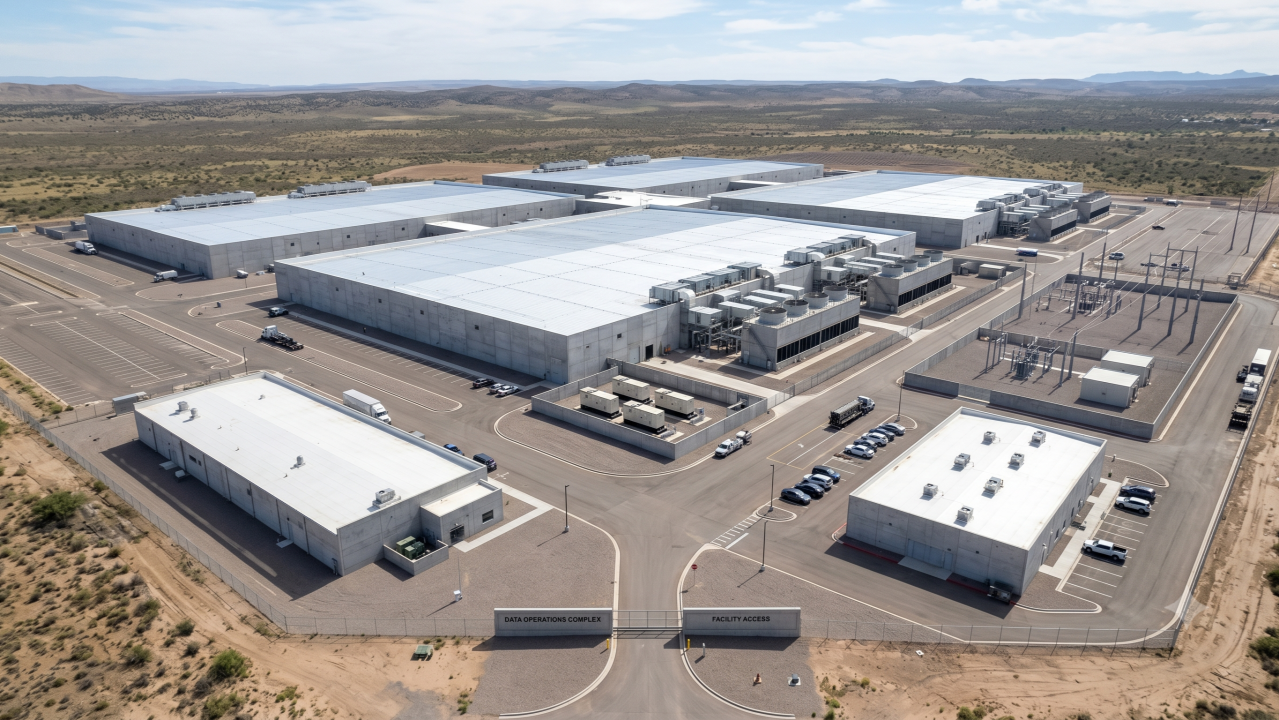
How Longhorn General Contractor Saves 9 Hours Every Week with ALICE FieldPlan

Longhorn GC reduced the time they spent manually creating and updating lookaheads by 90%, while boosting field team efficiency and increasing plan visibility for stakeholders and trade crews. 

Read the Case Study

See how FieldPlan works on your project

 
Book a live walkthrough of ALICE FieldPlan today. We'll show you how FieldPlan turns construction projects drawings into a lookahead and fits your jobsite workflow.

Resources that help you evaluate the best
construction planning intelligence platform

Onepager - ALICE FieldPlan

Overview of ALICE FieldPlan

The plan is only as good as what happens in the field.

ALICE FieldPlan connects your schedule, drawings, and lookaheads in one visual workspace, helping field teams build lookaheads in minutes. Download the one-pager to see how it works.

5 Reasons Why Construction Lookahead Plans Fall Apart

5 Reasons Why Construction Lookahead Plans Fall Apart - and How to Fix Them

Learn why construction lookahead plans fall apart and how ALICE's visual field planning can improve scheduling, sequencing, coordination, and field execution.

The ALICE Playbook for AI Transformation

The ALICE Playbook for AI Transformation

Less than 20% of construction companies use AI today. This playbook, built on real transformations at top firms, shows you how to pilot fast, win buy-in, and scale AI where it counts most.

AI Construction Field Planning Software

Frequently asked questions