

Construction Schedule Analytics Software & Dashboard
.png?width=2101&height=1182&name=Laptop%20UI%20Project%20Performance%20(4).png)

Reduce risk
Track schedule drift and float erosion in real time so emerging risks don’t catch you off guard.

Protect margins

Increase efficiency
Eliminate manual reporting. Instantly translate P6 or MS Project updates into visual, automated health dashboards the whole team can align on.
The moment you import your schedule, ALICE instantly populates your KPI cards—giving you an immediate, data-driven read on the health of your construction project.
- Percent Complete: Track your true progress against the baseline, updated automatically with every import.
- Current Finish: See the target completion date as laid out in your current schedule.
- ALICE Forecast Finish: View a realistic, projected completion date driven by your actual on-site production pace.
- AI Summary Card: Get an instant, plain-language executive readout of exactly where your project stands.
.png?width=2000&name=Project%20Perf%20KPI%20(3).png)
ALICE plots planned against actual progress as an interactive S-curve. See your entire project's trajectory in a single pane of view, and hover over any data point for an instant performance snapshot.
.png?width=2000&name=Project%20Perf%20KPI%20(2).png)
Identify the delta the moment it appears. Every schedule update automatically plots actual progress against your approved baseline, making variance visible immediately so you can correct course before it impacts milestones.
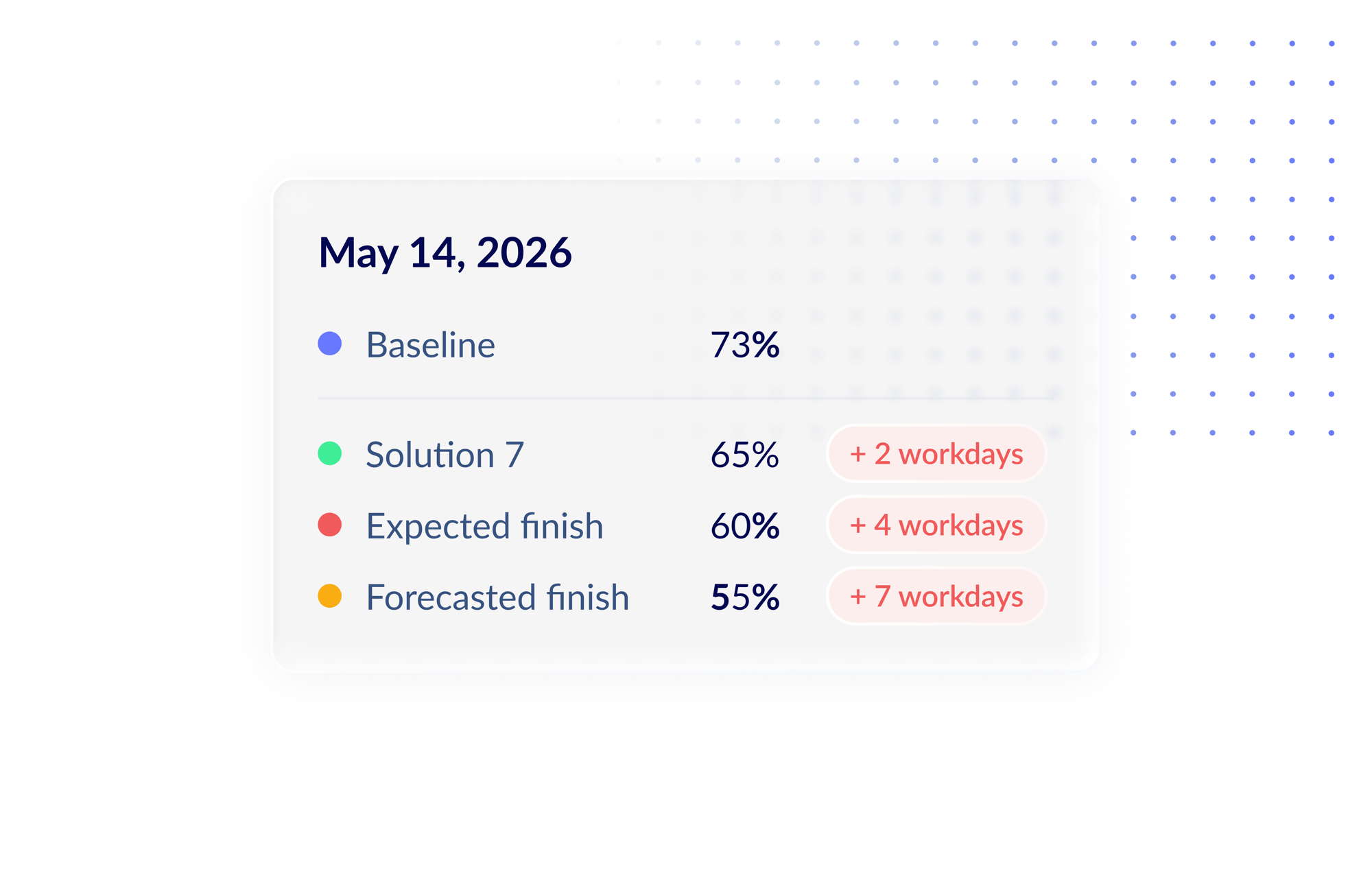
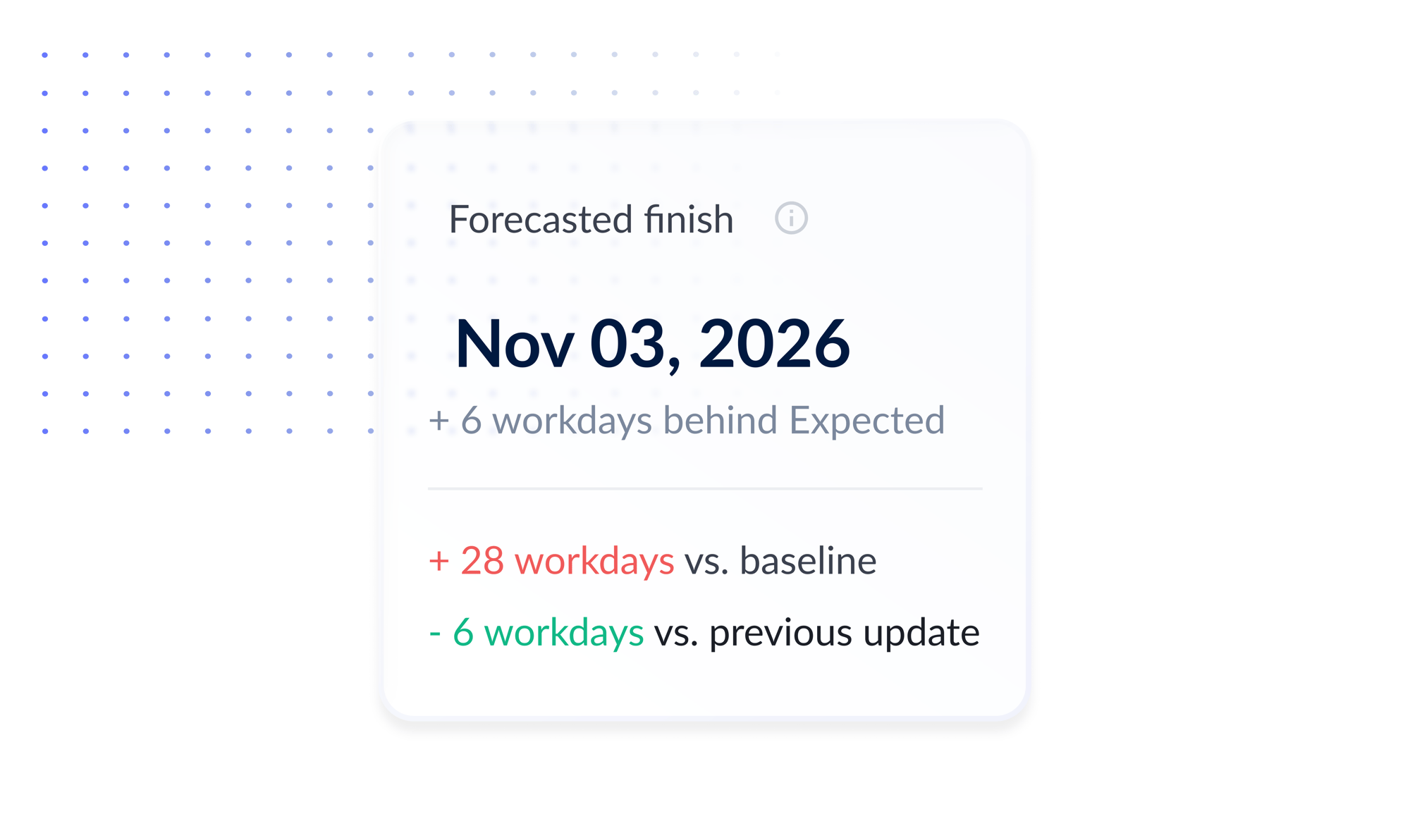
ALICE forecasts a completion date modeled on your team's real, on-site production rates. Compare it against your schedule's Expected Finish to see if your target date is credible.
Overlay an ALICE-generated recovery scenario directly onto your live performance chart. Compare it against your current trajectory to ensure your mitigation plan works before you go into a stakeholder meeting.
.png?width=2000&name=Analyze%20Pro%20Perf%20(4).png)

Universal Schedule Compatibility
The platform natively supports standard P6 and MS Project file types for seamless, frictionless uploads.

Intelligent File Management

Baseline
Re-set
Adapt to major project shifts without wiping the slate clean. Re-baseline your project at any point during construction without losing an inch of your historical progress data.

Interactive
Dashboard
Visualize your schedule's expected finish, ALICE’s data-driven forecast, and optimized recovery solutions all on a single chart.

UPCOMING WEBINAR
Deep Dive into Targeted Optimization
Stop guessing which tasks will move the needle. Join our upcoming live demo to see how ALICE’s new Targeted Optimization mode identifies the fastest, least disruptive path to your project milestones. Built for the whole project team—not just schedulers—this session shows you how to recover time and accelerate schedules at any planning stage.

Optimize every construction phase with ALICE
ALICE gives you new planning and construction super powers.


Targeted Optimization
Identify where your schedule can be accelerated & by how much.

Analytics and Reporting
Track and analyze information that matters most to you.

Schedule Quality Score
Check your schedule score & know exactly what to fix & why.

Schedule Insights Agent
"Chat" with your schedule to get insights & recommendations.

Construction Sequencing
Solve complex constraints & intelligently sequence activities.

Construction Simulation
Explore numerous ways to build your project.

Optimization Presets
Fine-tune an ALICE simulation based on your project goals.

Risk Management
De-risk your project by modeling constraints and scenarios with AI.
Overview of Portfolio Performance
See every project's health in one place. Portfolio Performance rolls up status, schedule quality, and delays across your entire portfolio - with an AI Insights Agent on hand to surface bottlenecks and protect delivery dates.
%20(1).png?width=1920&height=1080&name=ALICE%20Optimize%20(1)%20(1).png)
OVERVIEW OF ALICE OPTIMIZE
There's always more than one way to build. Learn how ALICE Optimize runs AI-powered what-if scenarios on your existing schedule and surfaces risk-reduced solutions against your project goals.
.png?width=573&height=315&name=ALICE%20One%20Pager%20thumbnails%20%20%20%E2%80%93%20final%20(1).png)
The ALICE Playbook for AI Transformation
Less than 20% of construction companies use AI today. This playbook, built on real transformations at top firms, shows you how to pilot fast, win buy-in, and scale AI where it counts most.